I’ve been doing corporate signage along with logos, so when I got this project for a corporate core values mural, I was game.
A few notes about this project:
The maximum size for a pasteboard in InDesign is 18 feet or 216 inches. Therefore, this job had to be two documents. This is how it looked laid out. The black squares are HVAC elements and architectural ceiling elements that obscured the space.
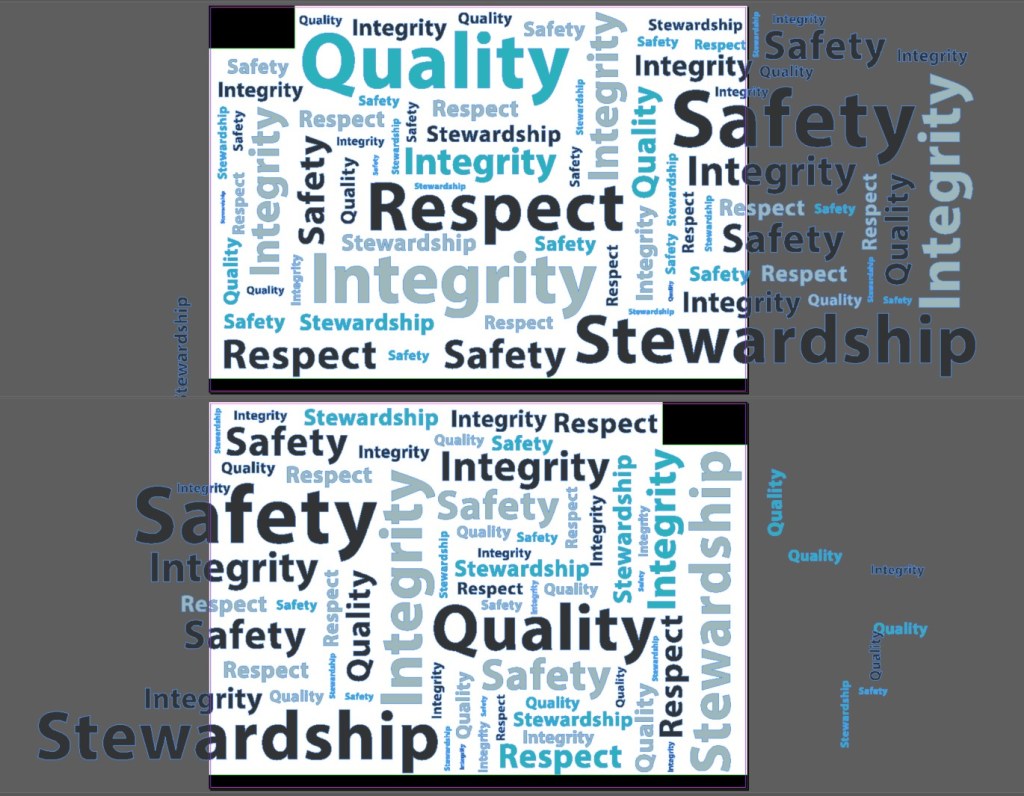
The colors of the lettering matched the plastic of the chairs. To get the desired result, I took a Pantone book to the office furniture vendor showroom and matched them directly to the plastic samples.
The font matches the brand guidelines for this corporation.
Lettering at this scale should be kerned carefully so take your time especially if you’re using letters like “W”, which are wide and require some careful kerning.
I started off laying out each word and kerning it as desired. I added my Pantone colors as swatches and then used the ALT drag command to make multiple copies of each word. I laid out the large words first and then filled in with smaller copies around the larger ones. I used the scale tool to scale words as I worked.
Once all the text was placed and final, I changed all the fonts to outlines.
I didn’t start working on this project until this actual wall was installed so I could see the space. Paint takes time to dry, so give it 4 weeks to dry and breathe before you have a vendor install vinyl stickers.
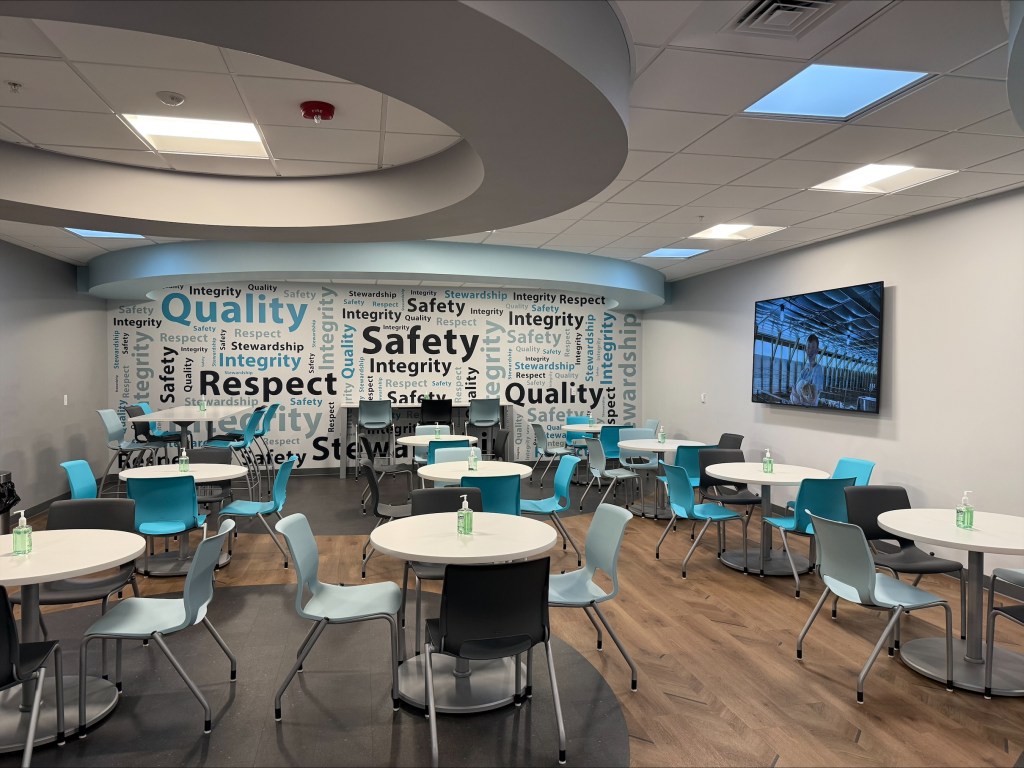
Seeing the wall was very helpful because then I could see the architectural elements on the ceiling and make space to respect the baseboard. In addition, the vendor made a last minute change to the middle of the design so that some words wouldn’t go under an outlet.
Overall, I was really pleased with the result as was the client.
 Cher Time