
I’ve been building content for SharePoint for about a year now, and I want to put some of my thoughts here in the event they are of use for other WordPress folks who get pulled into Microsoft’s realm.
Caching
I’ve been using the system to build out some self-serve company resources for the HR team and the communications team. My find here is on some files I uploaded to use as custom Teams backgrounds. One file was a mirror image, and no matter how many times I deleted it and saved a new file, the old file remained. I thought it might be cached, which turned out to be correct. If I renamed the file and uploaded it again, the error was fixed. Clearing the cache would most likely also work.
Sharing Comms Resources
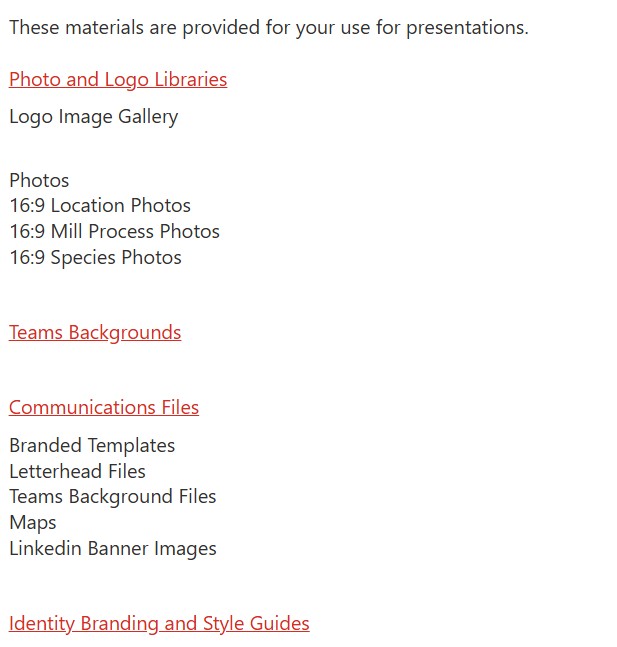
Here are some of the items I uploaded. This serves a dual purpose of “training” CoPilot on our brand standards. I’m not sure how much bang I’m getting for the effort here.
Anchor Links
On the anchor links. Here is the way I got this to work.
Edit the page. Scroll down to where you want the anchors and change the text to an H1, H2, or H3. Publish the page. Hover over the anchor, and you’ll see a link icon. Click it. Copy the link. Now edit the page and go to where you want to link the anchor. Select the text and click the link icon. Copy the link into the link box. It’s sloppy, but it works.
The link icon will appear to the right of the text you saved with an h tag.

Image Galleries for Photo Sharing
You can make an image gallery for photo sharing, but your users will have to right click and save. For large files, the system will default to WEBP files. This works for most applications, but Teams backgrounds require a jpg file. Therefore, you’ll have to create a document library and save the files there. Be sure to provide really sound instructions or your self-service page will turn into anything but.

 Cher Time